How to change runtime Node version on Amplify
Your application may require specific versions of node to build and run properly. Amplify uses
a docker image for building it’s environment. At the time of this writing the default is the
amazonlinux:2 image .
AWS actually has a set of ‘standard’ docker images that can be set and used without concern for pull limit caps. Those can be found here: https://gallery.ecr.aws/?page=1 .
If you choose to use any of the other public Docker Hub build images, your project builds will be built with the AWS Amplify service’s Docker Account - which we have no control over - and is limited to 100-200 pulls every six hours (shared across other AWS Amplify customers, probably in Region). This will likely result in seeing build errors like this common one:
[BUILD_CONTAINER_UNABLE_TO_PULL_IMAGE: Unable to pull customer's container image. CannotPullContainerError: Error response from daemon: toomanyrequests: You have reached your pull rate limit. You may increase the limit by authenticating and upgrading: https://www.docker.com/increase-rate-limit]To change the build image in Amplify for your application:
- Go to AWS Amplify and select your application
- Go to “Build settings”
- Scroll down to “Build image settings”
- Click on “Edit” button
- Under “Build image” click on the dropdown button
- Select “Build Image” (by default Linux:2 - which is same as
amazonlinux:2- is selected at time of writing) - Type in the text field your image name with tag name (i.e. “node/16.19.1”)
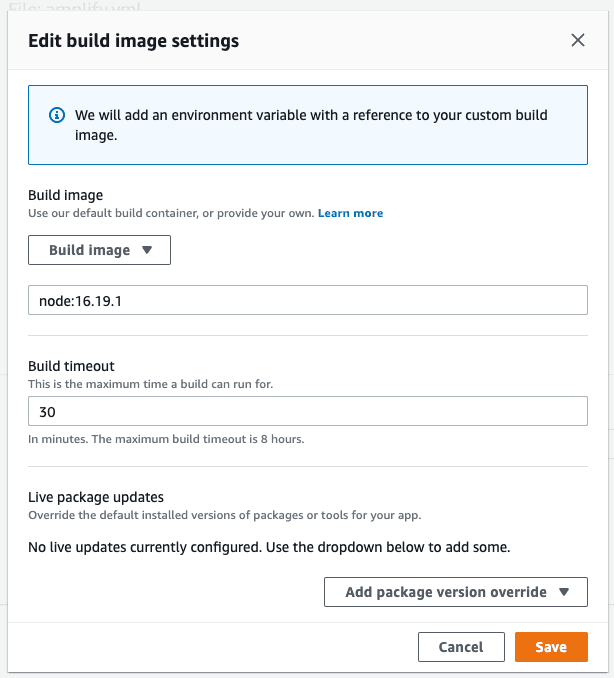
- Go back to the latest deploy and click on the “Redeploy this version” app
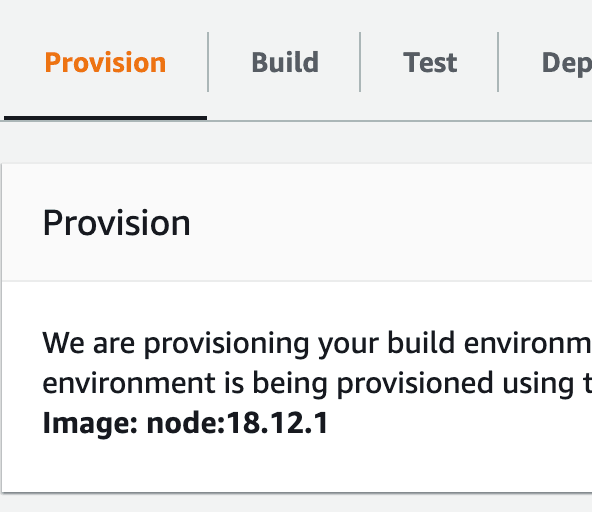
During build time you can see in the Provision tab they actually use the custom build from Docker Hub: